
Conference Room AV Solutions Boston, MA
The team behind Video Wall Installation Boston MA also builds conference rooms where meetings start on time, from two-person huddle rooms to Financial District boardrooms. We install the displays, cameras, microphones and speakers, set them up for Microsoft Teams, Zoom or Google Meet, and make joining a call a single tap.
Tired of meetings that start late? Book a room walk-through.
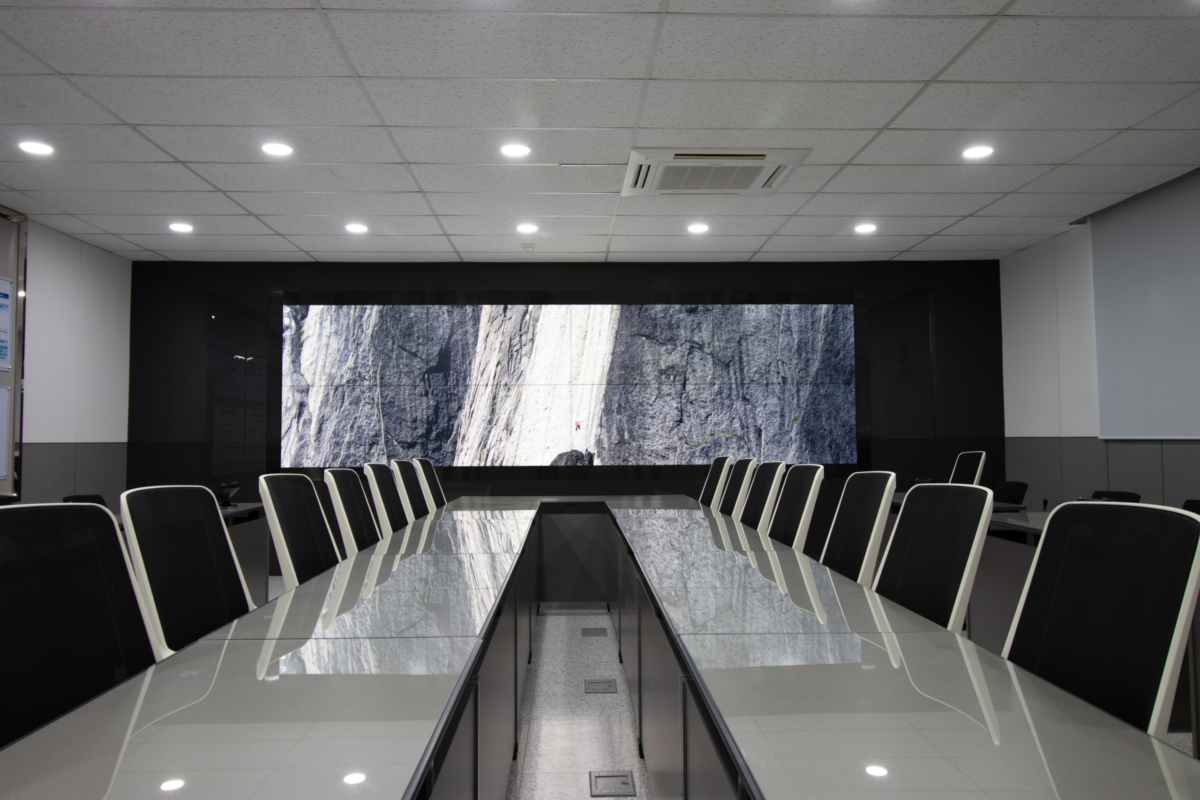
How we set up conference rooms in Boston, MA
Hybrid meetings are now the normal kind of meeting, and most rooms were never built for them. The camera sees half the table, remote attendees hear the air handler better than the speaker, and the first ten minutes go to hunting for the right cable. A good conference room fixes all of that so people in the room and on the call are equal participants.
We start with how your team meets: which platform you use, how many people sit in each room, whether clients bring their own laptops and who supports the rooms afterwards. From there we size the display to the room, choose a camera that frames everyone, and place microphones and speakers so voices are clear on both ends.
Boston offices bring their own quirks. Glass-walled rooms in new Seaport towers bounce sound, narrow rooms in older Back Bay buildings make camera placement tricky, and many managed buildings only allow installs after hours. We plan around each one, including acoustic treatment where hard surfaces get in the way of clear calls.
Every room is tested on your platform before handover. We set up the touch controller, check content sharing and camera framing, train your staff and support team, and leave a one-page guide on the table.
Our video wall and AV services in Boston, MA
Most projects don’t stop at the wall itself. Here’s everything else our crews handle across the city and the surrounding towns.

Digital Signage Installation
Wall screens, kiosks and media players for lobbies, campuses and storefronts, with content scheduling set up so your team can update messages without calling us.
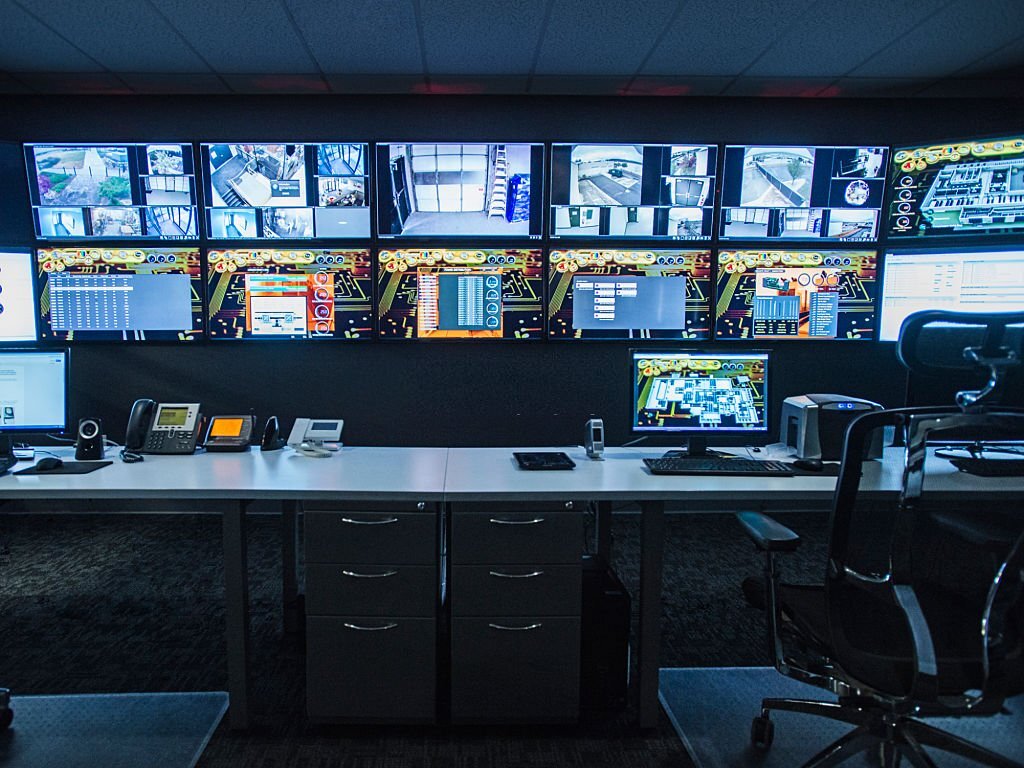
Control Room Display Systems
Operator walls for hospitals, utilities, security teams and trading floors, built with redundant inputs and processors to run around the clock.

AV System Integration
Displays, speakers, microphones and touch-panel control tied together, so a single button sets up the whole room.
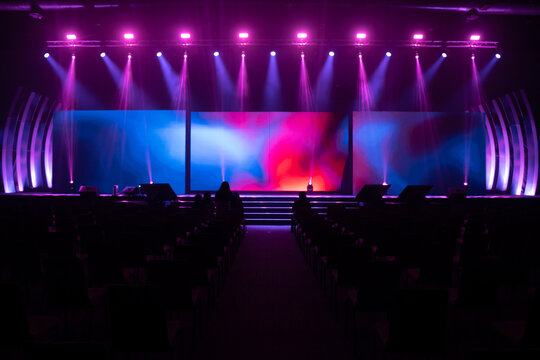
LED Display Rental & Event Setup
Temporary LED walls for conferences, galas and trade shows at venues across the city, delivered, rigged, run and taken down on your schedule.

Structured Network & AV Cabling
Cat6, fiber and low-voltage runs planned around your displays, routed through old-building chases or new ceiling plenums and labeled end to end.
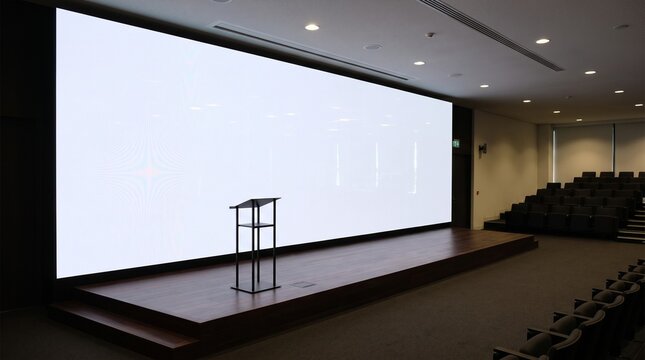
Projector & Projection Screen Install
Ceiling-mounted projectors and fixed or motorized screens for lecture halls, auditoriums and training rooms, aligned and focused on site.

Video Wall Maintenance & Repair
Recalibration, panel and power-supply replacement, and scheduled service for existing walls, including ones another crew put in.
Meeting spaces we equip across Boston, MA
From a single focus room to a full floor of meeting spaces, these are the rooms that come through our schedule most often:
- Huddle and focus rooms with all-in-one video bars
- Medium meeting rooms for six to twelve people
- Executive boardrooms with dual displays
- Microsoft Teams Rooms and Zoom Rooms systems
- Bring-your-own-device rooms for client meetings
- Divisible training and all-hands rooms
- Room scheduling panels outside meeting rooms
- Wireless presentation for guests and staff
- Acoustic treatment for echoey glass rooms
- Standard room designs for multi-floor rollouts
- Upgrades of aging codecs and outdated rooms
- Interactive displays and digital whiteboards
Conference room specifications for Boston, MA offices
Room size and seating decide the system. Here’s what typically goes into each room type we set up.
| Component | Huddle room (2–6 people) | Medium meeting room (6–12 people) | Boardroom (12–20+ people) |
|---|---|---|---|
| Display | One 55″–65″ display | One 75″–86″ display or two 65″ displays | Dual 86″–98″ displays or a video wall |
| Camera | Wide-angle camera in a video bar | Auto-framing camera or video bar | Speaker-tracking or multi-camera system |
| Microphones | Built into the video bar | Video bar plus table microphone pods | Ceiling or table array microphones |
| Speakers | Built into the video bar | Video bar or ceiling speakers | Ceiling or in-wall speakers with DSP |
| Control and sharing | Touch controller, USB or wireless sharing | Touch controller, wireless and wired sharing | Touch controller plus room control for lights and shades |
| Typical install time | About a day | One to two days | Several days, including cabling and tuning |
| Local site notes | Glass walls may need acoustic panels | Plan table boxes before furniture arrives | Coordinate ceiling work with building management early |
Our conference room setup process
Every project follows the same five steps, whether it is one room or a whole floor.
-
Room and workflow review
We walk each room, measure seating and sightlines, listen for echo and noise, and learn which platforms and devices your team uses.
-
Room standards and quote
You get a design for each room size, with equipment, layout and platform, plus a fixed quote and a schedule that fits your building’s rules.
-
Install and cabling
We mount displays and cameras, place microphones and speakers, run table and ceiling cabling, and connect everything to your network.
-
Platform setup and tuning
Each room is set up on Teams, Zoom or Google Meet with your IT team, audio is tuned to the room and test calls are made from every seat.
-
Training and support
We train staff and IT, leave a quick-start guide in each room and stay available for questions after the first busy week.
From camera framing to clear audio in Boston, MA
A meeting room only works when people can see and hear each other. These are the four areas every project draws on.
Video and camera placement
We set display size and height so remote faces and shared content are easy to read, and place cameras at eye level so everyone at the table is framed, not just the people closest to the screen.
Audio and acoustics
Remote attendees judge a meeting by its sound. We place microphones close to where people actually sit, tune echo cancellation to the room and recommend acoustic panels for glass and concrete spaces.
Platforms and management
We set up Teams Rooms, Zoom Rooms or bring-your-own-device rooms with your IT team, including accounts, updates and remote management, so rooms stay ready without someone checking them every morning.
Room standards
Matching designs for each room size mean the same buttons in every room and easier support. For large spaces that need a bigger picture, the same team can add a video wall.
Conference room projects across Boston, MA
Law firms, financial offices, biotech, universities and hospitals all meet differently. These are the kinds of rooms we plan for here.
Law and financial firms
Client-facing boardrooms that need to look polished and work every time, with bring-your-own-device options for visiting attorneys and clients.
Glass-walled tech offices
Huddle rooms and meeting rooms in open, glass-heavy floors, with acoustic treatment and microphones chosen to keep calls clear.
Biotech and research teams
Meeting rooms for global teams that collaborate across time zones, standardized so researchers can join from any room the same way.
Hospital conference rooms
Case review rooms and administrative meeting spaces with clear audio for remote clinicians and simple controls for busy staff.
University meeting spaces
Faculty, admissions and administrative rooms that support hybrid meetings and interviews with visitors from anywhere.
Suburban headquarters
Multi-floor rollouts of standard room designs for corporate campuses, scheduled around working hours and managed centrally by IT.
Conference room questions from Boston, MA offices
Straight answers to what clients ask us most before a meeting room project.
Should our rooms run Microsoft Teams Rooms, Zoom Rooms or bring-your-own-device?
If most of your meetings happen on one platform, a dedicated Teams Rooms or Zoom Rooms system gives one-touch joining and the most consistent experience. Bring-your-own-device rooms, where a laptop connects to the room camera and audio over USB, are more flexible when you meet with clients on many platforms. Many offices mix both, and we help you decide room by room.
Why do remote attendees say our room sounds echoey?
Hard surfaces such as glass walls, concrete and bare ceilings reflect sound, and microphones placed too far from people pick up more room than voice. Moving to ceiling or table microphones, tuning the audio processor and adding acoustic panels usually fixes it.
Can you make all our meeting rooms work the same way?
Yes. We design a small set of room standards, such as huddle, medium and boardroom, with the same platform, controls and layout in each size, so anyone can walk into any room and start a meeting the same way.
Is wireless screen sharing secure?
Enterprise wireless presentation systems support encryption, on-screen codes and separate guest networks. We configure them with your IT team so visitors can share their screens without getting access to your internal network.
How long does it take to set up a conference room?
A huddle room with existing power and network is often installed and tested in a day. Larger rooms with ceiling microphones, new cabling and control usually take a few days, and multi-room rollouts are scheduled floor by floor, often after hours.
Contact our Boston, MA conference room team
50 Franklin St, Boston, MA 02110Phone: (978) 783-4632
Email: [email protected]
To get an accurate quote faster, have these ready when you reach out:
- Number of rooms, with the size and seating of each
- Your conferencing platform: Teams, Zoom, Google Meet or a mix
- Photos of each room, including walls, ceiling and table
- Any existing equipment you want to keep or replace
- Building rules: after-hours work, freight elevator or insurance requirements
- Your target completion date
Ready for meetings that start on time? Talk to our crew today.